
 Help & Support


SingPost Self-Service Kiosks & POPDrop
SingPost Self-Service Kiosks offer a fast, automated solution to buy and print shipping labels, process parcel drop-offs, pay bills, all in a single convenient location. Many locations even operate 24/7!


SingPost Self-Service Kiosks offer a fast, automated solution to buy and print shipping labels, process parcel drop-offs, pay bills, all in a single convenient location. Many locations even operate 24/7!
We are upgrading and expanding our drop-off network across Singapore! Depending on the location you visit, you will encounter one of two station setups. Both offer identical services, but with a slightly different drop-off process:
Station Setup: A standalone touchscreen terminal with an adjacent physical posting box.
Drop-Off Workflow:
Station Setup: An all-in-one kiosk terminal featuring a built-in automated acceptance door.
Drop-Off Workflow:
Prepare your shipment
Scan your barcode
Drop your parcel
Track parcel with SingPost Mobile App
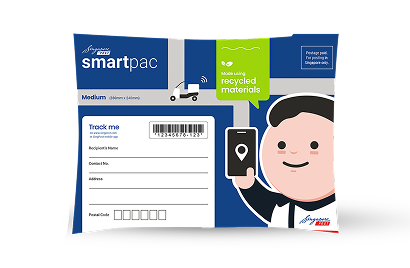
smartpac
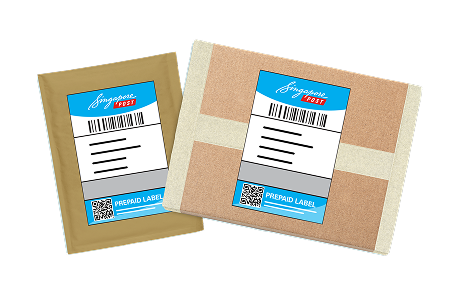
Prepaid label

Speedpost items
ezyReturn
Registered Service
Parcel Size & Weight Limits: Items must weigh under 2 kg and fit within maximum dimensions of 324 x 229 x 65 mm. For larger or heavier parcels, please visit a POPStop counter or Post Office.
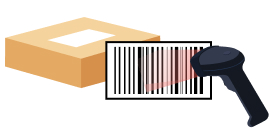
Scan before dropping

Ensure barcodes can be clearly read
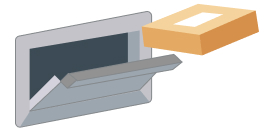
Drop one item at a time
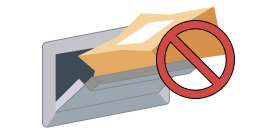
Don't force oversized packages into the slot.

Don't post unaccepted/prohibited items
Yes. POPDrop/Self-Service Kiosk accepts Registered Service (International) parcels. Ensure you have completed the necessary digital customs declarations via ezy2ship before dropping off the item.
Note: Only parcels (up to 2kg) are accepted. For document-only envelopes or letters, please use traditional street posting boxes.
Yes. If you are unable to print your label at home, you can do so at POPDrop/Self-Service Kiosk
To ensure smooth processing, the following should not be lodged at POPDrop:
If you skip the barcode scan, your parcel will not be tracked in our digital network right away. It will only start to be tracked when our staff has collected and processed the posting box contents. Always scan at the kiosk if you wish to track every stage of your parcel’s delivery status on our Track Item page or the SingPost Mobile App!
Please contact our customer service team via our online enquiry form or our hotline at 1605 for assistance.